
Encryption
Traffic to the Datafold app and API is HTTPS-only. Connections from Datafold to your databases use each database driver’s TLS encryption.IP whitelisting
If access to your data connection is restricted to IP addresses on an allowlist, you will need to manually add Datafold’s addresses in order to use our product. Otherwise, you will receive a connection error when setting up your data connection. Contact support@datafold.com for the egress IP addresses of your Datafold host (us.datafold.com, eub.datafold.com, or your dedicated deployment). For customer-hosted deployments, allow the static egress IP of your own deployment. On Datafold Classic (app.datafold.com), see the Classic IP list.Private Link
Private connectivity (PrivateLink, Private Service Connect, VPC peering) is set up case by case. For multi-tenant organizations on us.datafold.com or eub.datafold.com, contact support@datafold.com to confirm which options are available for your region and database.
- AWS
- GCP
- Azure
AWS PrivateLink
AWS PrivateLink allows you to connect Datafold to your databases without exposing data to the internet. Contact support to confirm availability for your deployment.The following diagram shows the architecture for a customer with a High Availability RDS setup: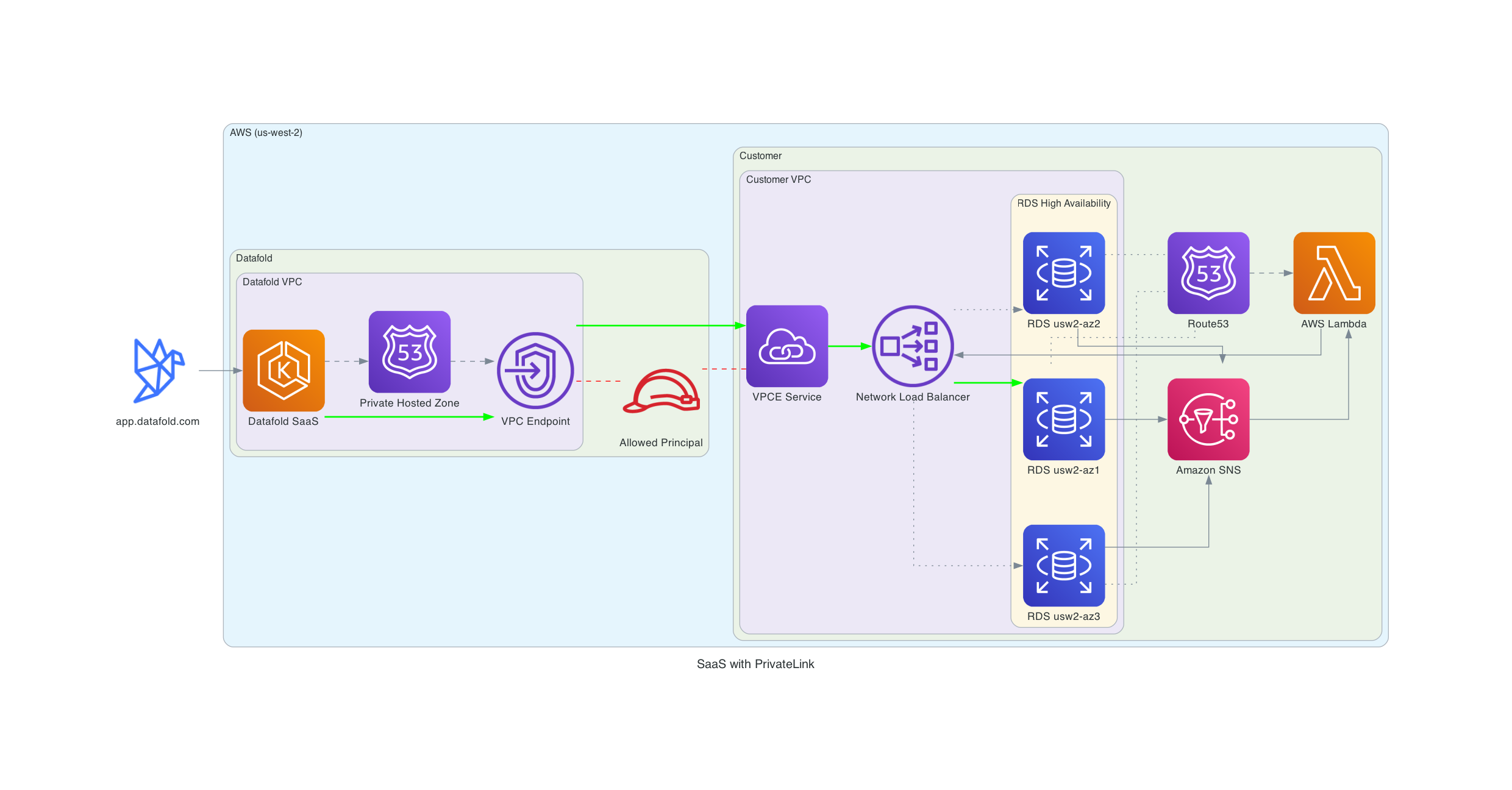
PrivateLink to an HA RDS setup
Setup
Supported databasesThe following setup assumes you have an RDS/Aurora database you want to connect to. Datafold also supports PrivateLink connections to other databases such as Snowflake, which should only be accessed from your VPC. Please contact support@datafold.com to get assistance with connecting to your specific database.
- The role ARN to establish the PrivateLink connection.
- The Datafold VPC CIDR range.
- Send us the region(s) where your database(s) are located.
- Create a VPC Endpoint Service and NLB.
- The core concepts of this setup are described in this AWS blog: Access Amazon RDS across VPCs using AWS PrivateLink and Network Load Balancer.
- If your databases are HA, please implement the failover mechanics described in the blog.
- A CloudFormation template for inspiration can be found here.
- You’ll need to create a Network Load Balancer that points to your database and a VPC Endpoint Service that exposes the NLB.
- Configure security groups to allow traffic from Datafold’s VPC to your database.
- If your databases are HA (High Availability), implement automatic failover mechanics to ensure the NLB routes to the active database instance.
- For detailed step-by-step instructions, see our AWS PrivateLink Setup Guide.
- Add the provided role ARN as ‘Allowed Principal’ on the VPC Endpoint Service.
- Allow ingress from the Datafold VPC CIDR range.
- Send us the:
- Service name(s), e.g.
com.amazonaws.vpce.us-west-2.vpce-svc-0cfd2f258c4395ad6. - Availability Zone ID(s) used in the VPCE Service(s), e.g.
use1-az6orusw2-az3. - RDS/Aurora hostname(s), e.g.
datafold.c2zezoge6btk.us-west-2.rds.amazonaws.com.
- Service name(s), e.g.
Cross-Region PrivateLink
If your databases are in a different region from your Datafold deployment, Datafold can set up cross-region PrivateLink. Contact support with the regions involved. The setup is similar to the regular PrivateLink setup.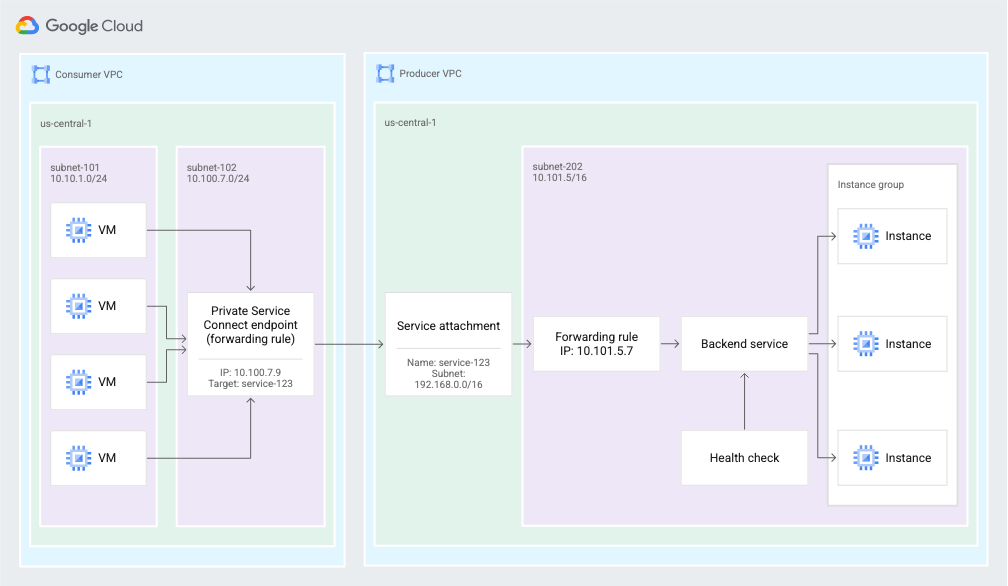

VPC Peering (multi-tenant)
VPC peering joins both networks, so the IP ranges must not overlap. For multi-tenant organizations, contact support@datafold.com with the region, VPC ID, and CIDR of your VPC to confirm whether peering is available.VPC Peering (Dedicated Cloud)
VPC Peering is a supported option for all cloud providers, both for Datafold-hosted and customer-hosted deployments. Basic information for each cloud provider can be found here:SSH Tunnel
To set up a tunnel, please contact our team at support@datafold.com and provide the following information:- Hostname of your bastion host and port number used for SSH service.
- Hostname and port number of your database.
- SSH fingerprint of the bastion host (optional).
- SSH public key that you need to add to
~/.ssh/authorized_keysof the tunnel user on your bastion host. - IP address and port to use for data connection configuration in the Datafold application.